3. Installation Nagios Priority 3
Download software
For this procedure we requires the following software's downloaded on the system:
  • nagios-2.9.tar.gz
The latest stable version can be downloaded from here
Requisites
Check the following items to be present (Install if necessary)
gd
gd-dev
libgd
libgd-dev
libpng
libpng-dev
libjpeg
libjpeg-dev
zlib
zlib-dev
Especially the dev are sometimes missing.
Install Nagios
Go towards the location where the source is located.
  • Log in as root
  • Unpack the source file
    gunzip nagios-2.9.tar.gz
    tar -xvf nagios-2.9.tar

    or

    tar xzf nagios-2.9.tar.gz
  • Create Nagios User & Group
    adduser nagios
  • Create installation directory
    mkdir /usr/local/nagios
    chown nagios nagios /usr/local/nagios
  • Add command file group
    /user/sbin/groupadd nagcmd
    /usr/sbin/usermod -G nagcmd apache
    /usr/sbin/usermod -G nagcmd nagios
  • Run the configuration script
    ./configure --prefix=/usr/local/nagios --with-cgiurl=/nagios/cgi-bin --with-htmurl=/nagios/ --with- nagios- user=nagios - -with- nagios-group=nagios --with-command-group=nagcmd --with-gd- lib=/usr/lib --with-gd- inc=/usr/include
  • Compile binaries
    make all
  • Installing the binaries and HTML files
    make install
  • Installing an init script
    make install-init
  • External command directory
    make install-commandmode
  • Sample config file
    make install-config
Requisites
fping
Get fping from http://www.fping.com in order to make check_fping plugin
qstat
Get qstat from http://sourceforge.net/projects/qstat/ in order to make check_game plugin
snmpget
Get snmpget from http://net-snmp.sourceforge.net to make check_hpjd and check_snmp plugins
Install Nagios Plugin
Go towards the location where the source is located.
  • Log in as root
  • Unpack the source file
    tar xvf nagios-plugins-1.4.8.tar.gz
  • Run configuration script
    ./configure --prefix=/usr/local/nagios --with-cgiurl=/nagios/cgi-bin
  • Compile binaries
    make
  • Install binaries
    make all
Configure Web interface
Configure Aliases and Directory options for the web interface
  • Insert the following text at the end of the configuration file of Apache:
ScriptAlias /nagios/cgi-bin /usr/local/nagios/sbin
<Directory "/usr/local/nagios/sbin">
     Options ExecCGI
     AllowOverride None
     Order allow,deny
     Allow from all
     AuthName "Nagios Access"
     AuthType Basic
     AuthUserFile /usr/local/nagios/etc/htpasswd.users
     Require valid-user
</Directory>

Alias /nagios /usr/local/nagios/share
<Directory "/usr/local/nagios/share">
     Options None
     AllowOverride None
     Order allow,deny
     Allow from all
     AuthName "Nagios Access"
     AuthType Basic
     AuthUserFile /usr/local/nagios/etc/htpasswd.users
     Require valid-user
</Directory>
  • Restart the webserver
    /etc/rc.d/init.d/httpd restart
  • Setting up authenticated users
    htpasswd -c /usr/local/nagios/etc/htpasswd.users nagiosadmin
    htpasswd /usr/local/nagios/etc/htpasswd.users username
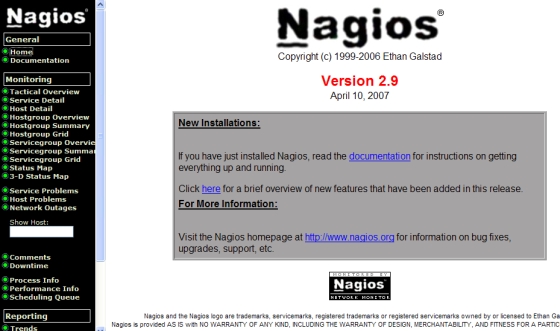
  • Verify you web site

    graphic
Post Steps
Remove the # sign in front of the following lines inside cgi.cfg
#authorized_for_system_information=nagiosadmin,theboss,jdoe
#authorized_for_configuration_information=nagiosadmin,jdoe
#authorized_for_system_commands=nagiosadmin
#authorized_for_all_services=nagiosadmin,guest
#authorized_for_all_hosts=nagiosadmin,guest
#authorized_for_all_service_commands=nagiosadmin
#authorized_for_all_host_commands=nagiosadmin